
Payment Activity
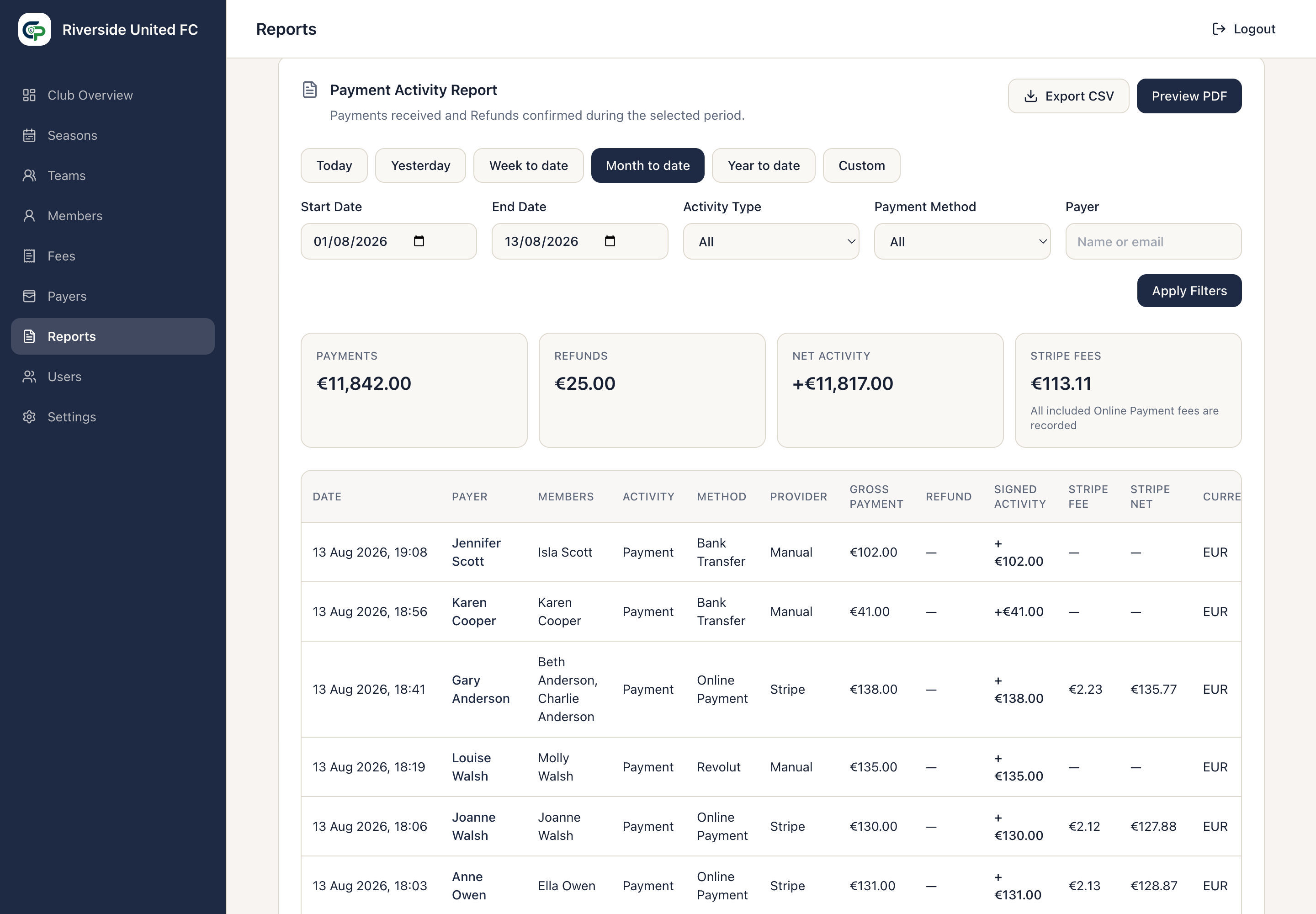
Payment Activity lists full Payments as positive activity and confirmed Refunds as negative activity. It defaults to Month to date. Other choices are Today, Yesterday, Week to date, Year to date, and Custom.
Filters
Section titled “Filters”- Activity Type — Payments or Refunds.
- Payment Method — Online Payment, Cash, Bank Transfer, Revolut, Card Reader, or Other.
- Payer — search by name or email, including more than one word.
Choose dates and filters, then select Apply Filters. Newest activity appears first. Select a Payer name in a row to open the original Payment details.
Summary
Section titled “Summary”- Payments — gross Payment activity in the chosen dates.
- Refunds — confirmed Refund value.
- Net Activity — Payments less Refunds.
- Stripe Fees — known processing fees, with a note if an included Online Payment has no recorded fee.
A dash or Not recorded for a Stripe fee means the information was not available; it does not mean the fee was zero. Manual Payments have no Stripe fee.
PDF and CSV
Section titled “PDF and CSV”Select Preview PDF for an in-app document containing the Club, period, summary, Payments, and Refunds.
Select Export CSV for spreadsheet-ready rows. Its columns are Date, Payer, Members, Activity Type, Payment Method, Gross Payment, Refund, Signed Activity, Stripe Fee, Stripe Net, and Currency. Amounts remain numeric, including negative Refund values.