Welcome to ClubPayee
ClubPayee helps a Club organise Members, Teams, Seasons, Fees, Payers, Payments, Refunds, and reports in one place.
This Help Centre uses the same labels shown in the application. On a phone, open the menu to reach the same navigation shown at the left of a larger screen.
Sign in
Section titled “Sign in”- Open the ClubPayee sign-in page.
- Enter your email address and password.
- Enter the verification code sent to your email.
- If you administer more than one Club, select the Club you want to open.
An invited Administrator uses the link and code in their access email to set up access. See Users.

Main navigation
Section titled “Main navigation”- Club Overview — the Treasurer Dashboard.
- Seasons — create, close, reopen, and review Seasons.
- Teams — manage Teams, Team Members, and Team Fees.
- Members — manage the Club’s central Member list.
- Fees — maintain reusable Fees and Sibling Pricing.
- Payers — review family accounts, record Payments, and make Adjustments.
- Reports — preview and export available reports.
- Users — manage Club Administrators.
- Settings — manage the Registration Model, Online Payments, and Dashboard setup.
Start with the Dashboard
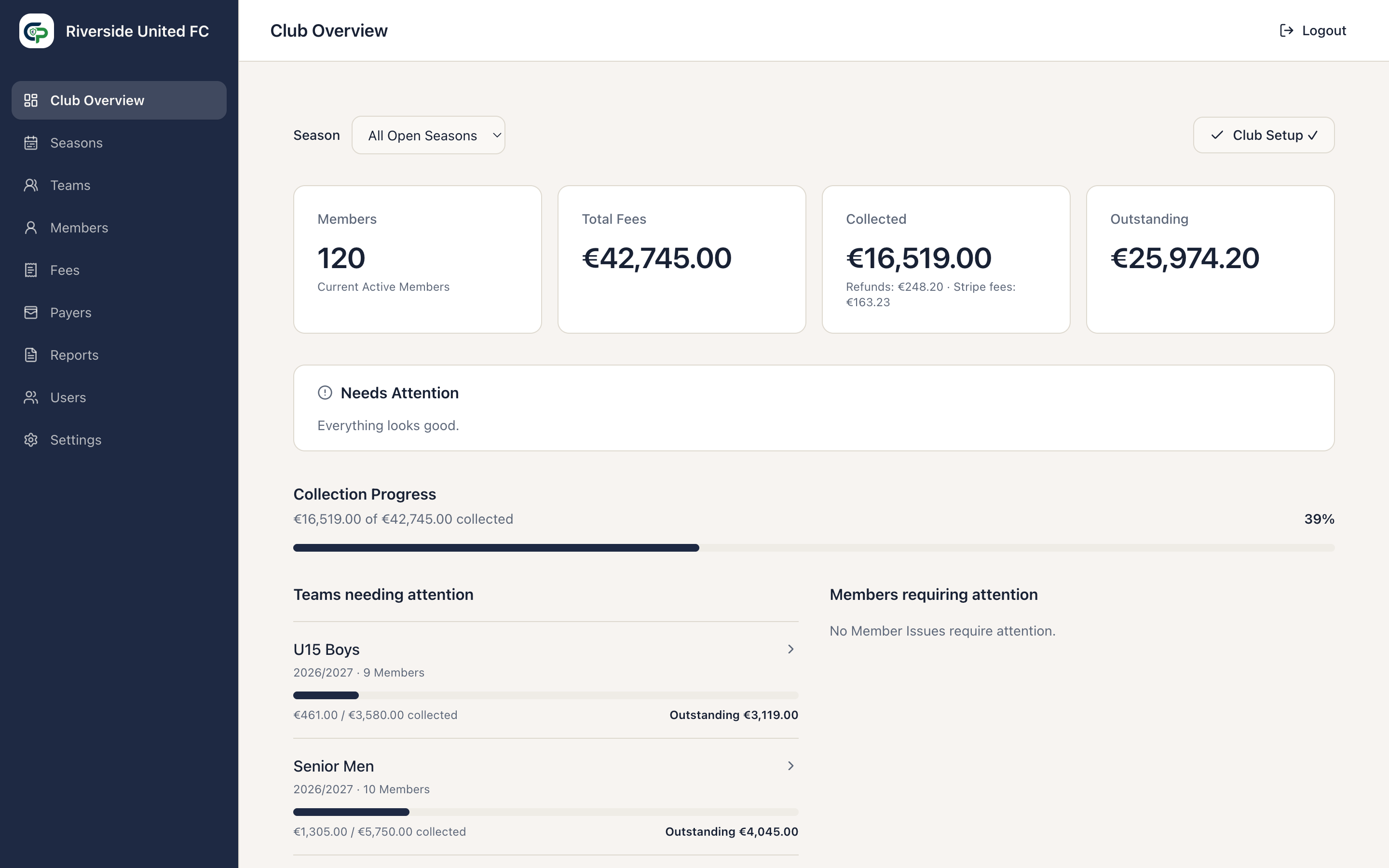
Section titled “Start with the Dashboard”Open Club Overview to see the current Club, the active Season view, collection progress, recent Payments, and records needing attention.
Use the Season selector to show All Open Seasons or one Open or Closed Season. ClubPayee remembers the last selection in that browser.
The main figures are:
- Members — current Active Members in the selected scope;
- Total Fees — Member charges and changes included in the selected scope;
- Collected — gross Payment value allocated to the selected Season or Open Seasons;
- Refunds and Stripe fees — shown separately beneath Collected where recorded; and
- Outstanding — the amount still due after Payments, Refunds, Adjustments, and available credit.
Collection Progress compares Collected with Total Fees. Teams needing attention highlights Teams with lower collection progress. Members requiring attention groups missing information, such as an Underage Member without a Payer. Recent Payments provides a quick route to the relevant Payer record.