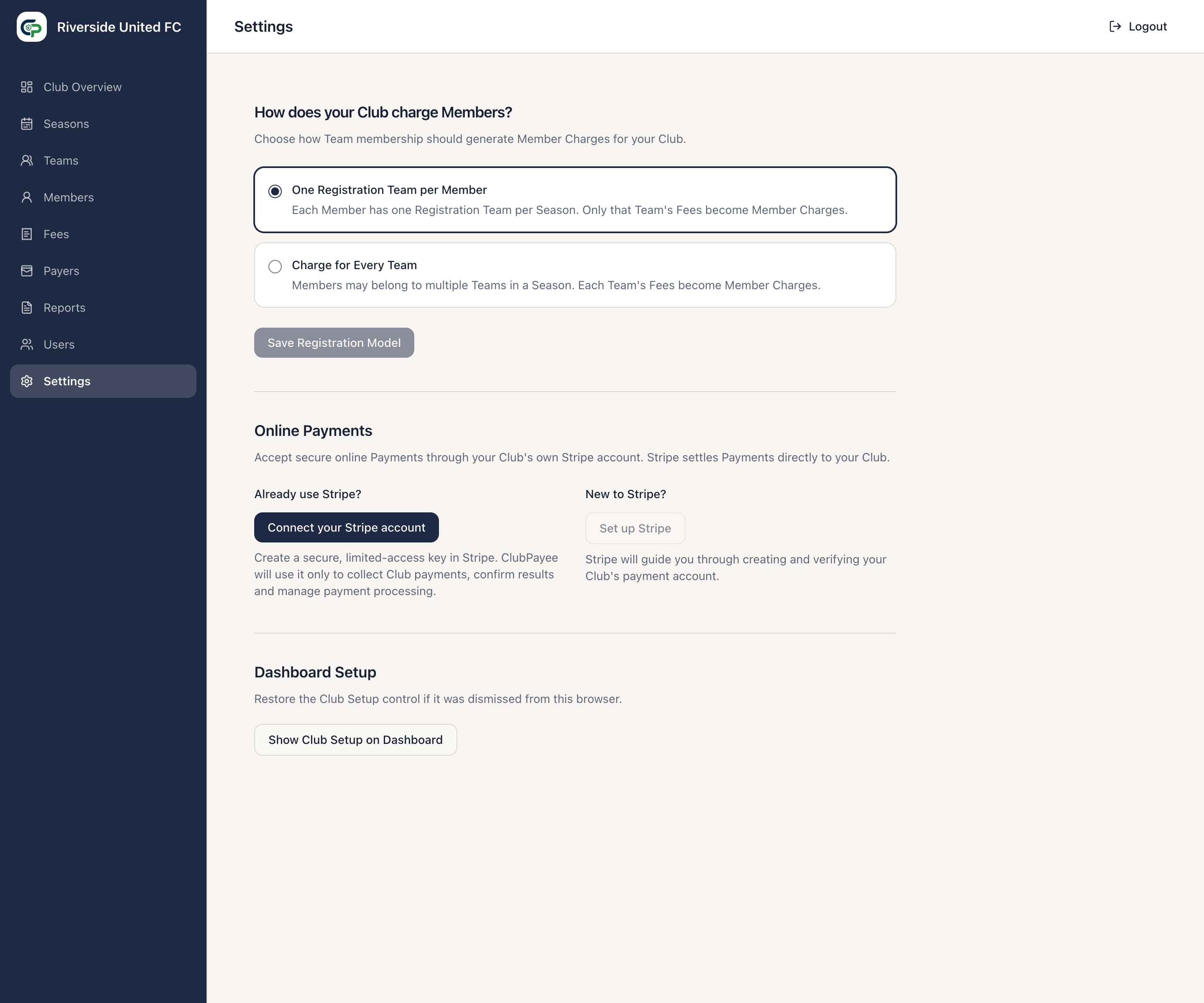
Club Settings
Open Settings for the Club options currently available.
Plan & Usage
Section titled “Plan & Usage”This section shows the Club’s Member credits and Season usage:
- Available credits can be used when a Member is first assigned to a Team in a Season.
- Reserved credits cover Members assigned in a Season who have not yet had a successful Payment or payer-facing new-Fee notification.
- Used credits cover Members whose Season usage has been consumed by one of those events.
A Member uses at most one credit in the same Season, even when assigned to more than one Team. Assigning that Member in a different Season requires another credit.
Removing a Member from their last Team in a Season releases a reserved credit. A used credit is not released by removing the assignment, reversing a Payment, or issuing a Refund.
If there are not enough available credits, add or assign Members after the Club’s allocation has been increased. Contact ClubPayee Support for assistance.
How does your Club charge Members?
Section titled “How does your Club charge Members?”This section shows the Registration Model selected during signup. Members can belong to multiple Teams under either model. One Registration Team per Member charges only the designated Registration Team; Charge for Every Team applies each Team’s Fees.
Select the required option and Save Registration Model. A change may be blocked after a Payment exists or when Members with several current Teams require an explicit Registration Team choice.
See Understanding ClubPayee for both Registration Model choices.
Online Payments
Section titled “Online Payments”This section shows Stripe connection status and the setup, maintenance, and attention actions described in Online Payments.
If the optional Advanced Online Payments feature is available, this section also shows Payment Plans. Payment Plans are off by default and do not change standard Payments or Refunds.
Scheduled email settings and delivery records are managed in the separate Notifications workspace.
Dashboard Setup
Section titled “Dashboard Setup”Select Show Club Setup on Dashboard to restore the Club Setup control after it has been dismissed in the current browser. This does not undo steps already marked Done.
Club name editing, ClubPayee subscription billing, ownership transfer, and custom User roles are not available in the current Club Settings screen.