
Payers
A Payer is the person responsible for settling one or more Members’ balances. One Payer can be responsible for several siblings. An Adult Member normally acts as their own Payer.
Payers are usually created or assigned while adding an Underage Member. The Payers area manages the resulting accounts rather than creating an unrelated Payer first.
Create or reuse a Payer
Section titled “Create or reuse a Payer”When adding an Underage Member:
- choose Assign Existing Payer for a sibling or existing family account;
- choose Create New Payer when the responsible person is not already in ClubPayee; or
- choose Finish Later and resolve the No Payer Issue later.
If the Payers list is empty, use Go to Members to begin with the Underage Member. There is no separate Add Payer action.
View a Payer
Section titled “View a Payer”- Open Payers.
- Search by name or email.
- Select a Payer.
- Use Overview, Members, Payments, and Adjustments.
Use Edit Payer in the Payer details footer to correct their name, contact email, or phone number. For security, an email address cannot be changed directly after Payer Portal access has been established or when the identity is shared; contact ClubPayee Support for a verified correction.
The Overview shows:
- Total Charges — charges for currently linked Members;
- Payer Adjustments — account-level changes;
- Paid — Payment value applied;
- Outstanding — the amount still due; and
- Account Credit — unused value applied automatically to future Member balances.
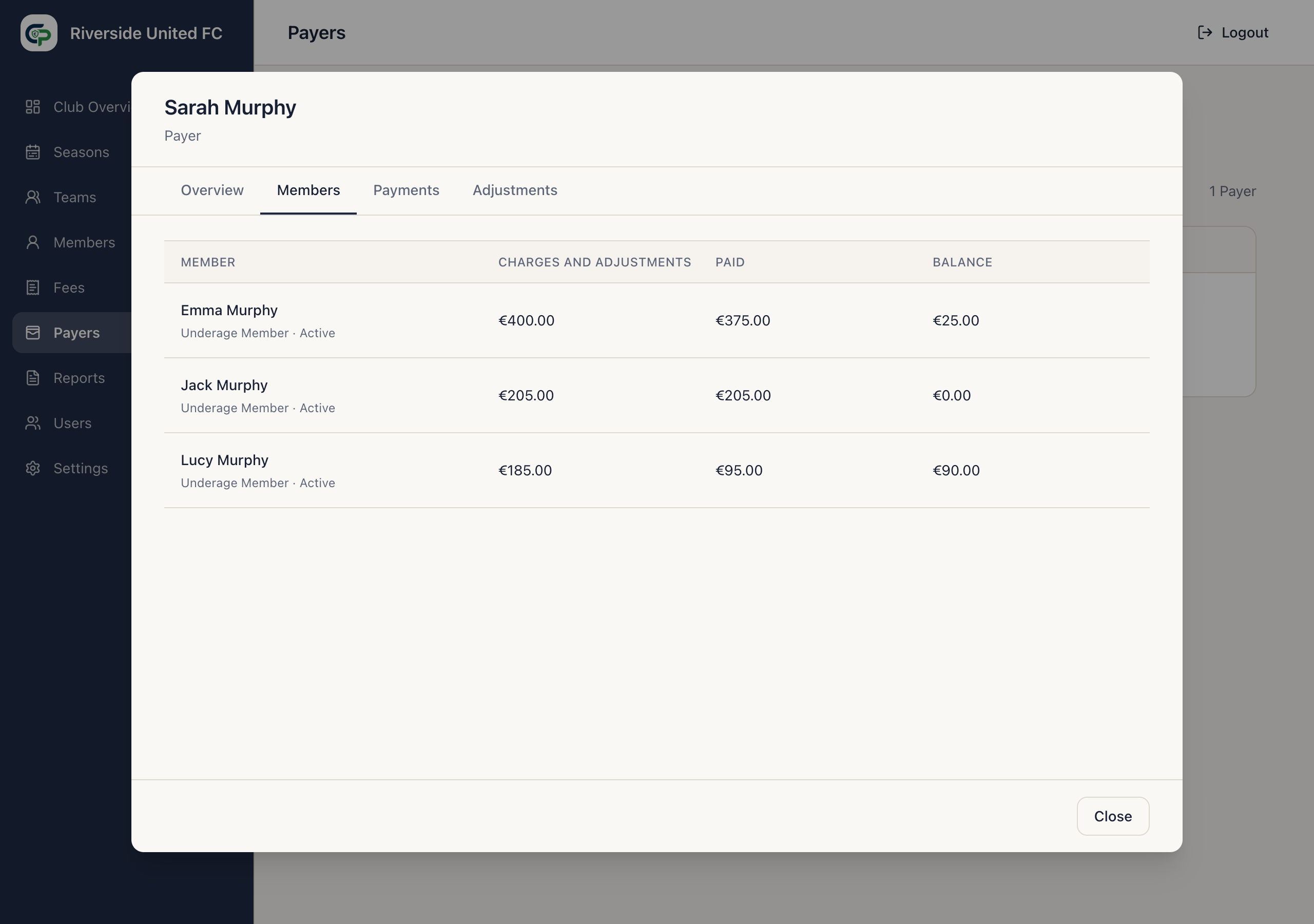
The Members tab shows who the Payer supports. The Payments tab shows manual and Online Payments and their allocations. The Adjustments tab shows account-level changes and Account Credit.
The Overview also shows the Payer’s scheduled-notification state. Not Ready has not been approved for scheduled email, Ready can receive scheduled email, and Paused is stopped until resumed. See Notifications.
Delete Payer runs ClubPayee’s safety checks first. A Payer cannot be deleted while they are responsible for Members or have protected financial history or another protected relationship. Reassign Member responsibility before deleting an otherwise unused Payer.
Administrators who are also Payers
Section titled “Administrators who are also Payers”An Administrator can also be a Payer. Their Administrator and Payer sign-ins are separate, even when the same person and email are used.
Disabling their Administrator access does not remove valid Payer access or access to another Club.