
Fees
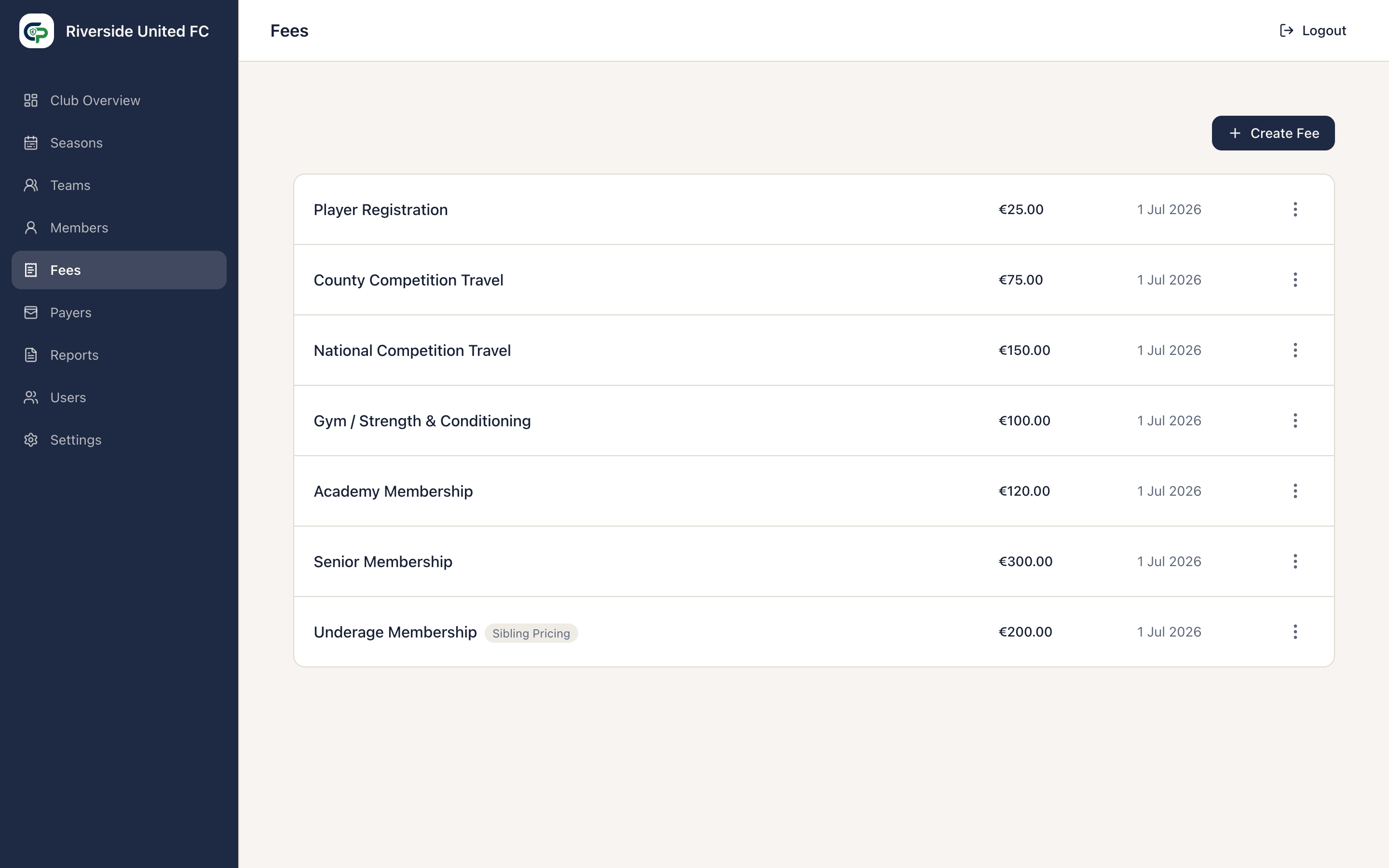
Open Fees to maintain reusable Club Fees such as Membership, Insurance, or Training. A catalogue Fee does not charge anyone by itself. It becomes payable when assigned to a Team.
Create a Fee
Section titled “Create a Fee”- Select Create Fee.
- On General, enter the Fee Name, Amount, and optional Description.
- If required, open Rules and configure Sibling Pricing.
- Select Create Fee.
A Fee may be €0.00 when the Club needs to record a legitimate no-charge assignment, such as a complimentary or fully subsidised membership. It remains visible as an assigned Team Fee but adds nothing to the Member or Payer balance and requires no payment.
Team Fee snapshots
Section titled “Team Fee snapshots”Assigning a catalogue Fee to a Team takes a copy of the relevant Fee details for that Team and Season. This protects the terms that applied at the time.
When the Club uses One Registration Team per Member, only the Member’s Registration Team supplies Team Fees. A Member can play for more than one Team without being charged more than once. With Charge for Every Team, each applicable Team membership intentionally supplies its Team Fees. See Teams for Registration Team management.
Edit a Club Fee
Section titled “Edit a Club Fee”Open the Fee’s actions menu and select Edit. You can change its name, amount, description, and Sibling Pricing.
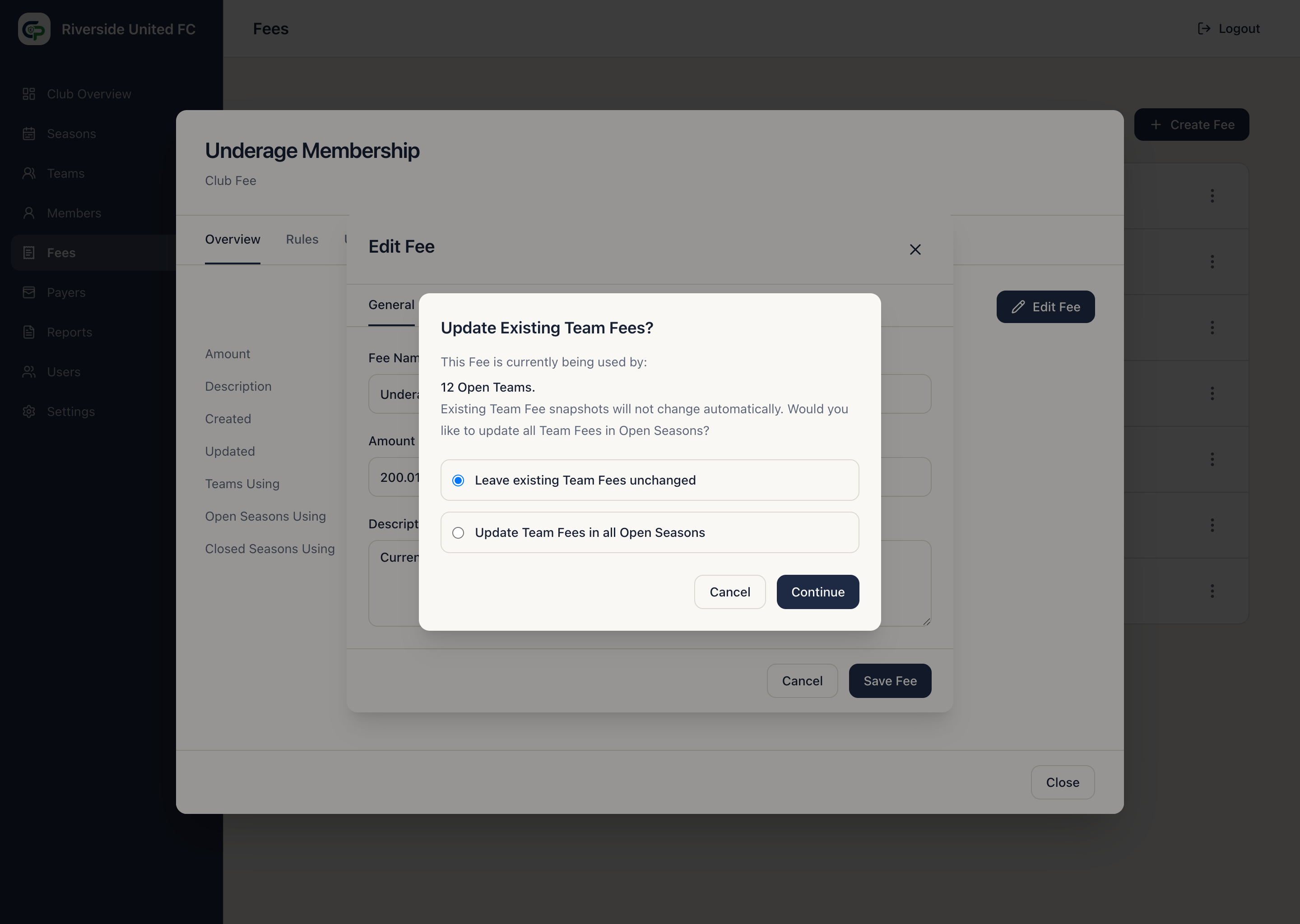
If the change affects Team Fees already used in Open Seasons, ClubPayee asks you to choose:
- Leave existing Team Fees unchanged — current Team Fees keep their details; future assignments use the updated catalogue Fee.
- Update Team Fees in all Open Seasons — every affected Team Fee in every Open Season receives the updated amount, description, and rule.
Team Fees in Closed Seasons are never updated by this choice. If an Open-Season update changes what Members owe, ClubPayee adds the necessary financial changes while preserving earlier history.
Delete a Fee
Section titled “Delete a Fee”A catalogue Fee can be deleted only while it has no protected downstream use. If it has contributed to Team or financial history, retain it.