
Online Payments
Online Payments let a Payer pay through secure Stripe Checkout. The Club owns the Stripe account, Stripe settles money directly to the Club, and ClubPayee does not hold the Club’s funds.
A Club can continue using manual Payments without connecting Stripe.
Payment Plans are a separate optional Advanced Online Payments feature. They are off by default and are not required for standard Online Payments or Refunds.
Connect an existing Stripe account
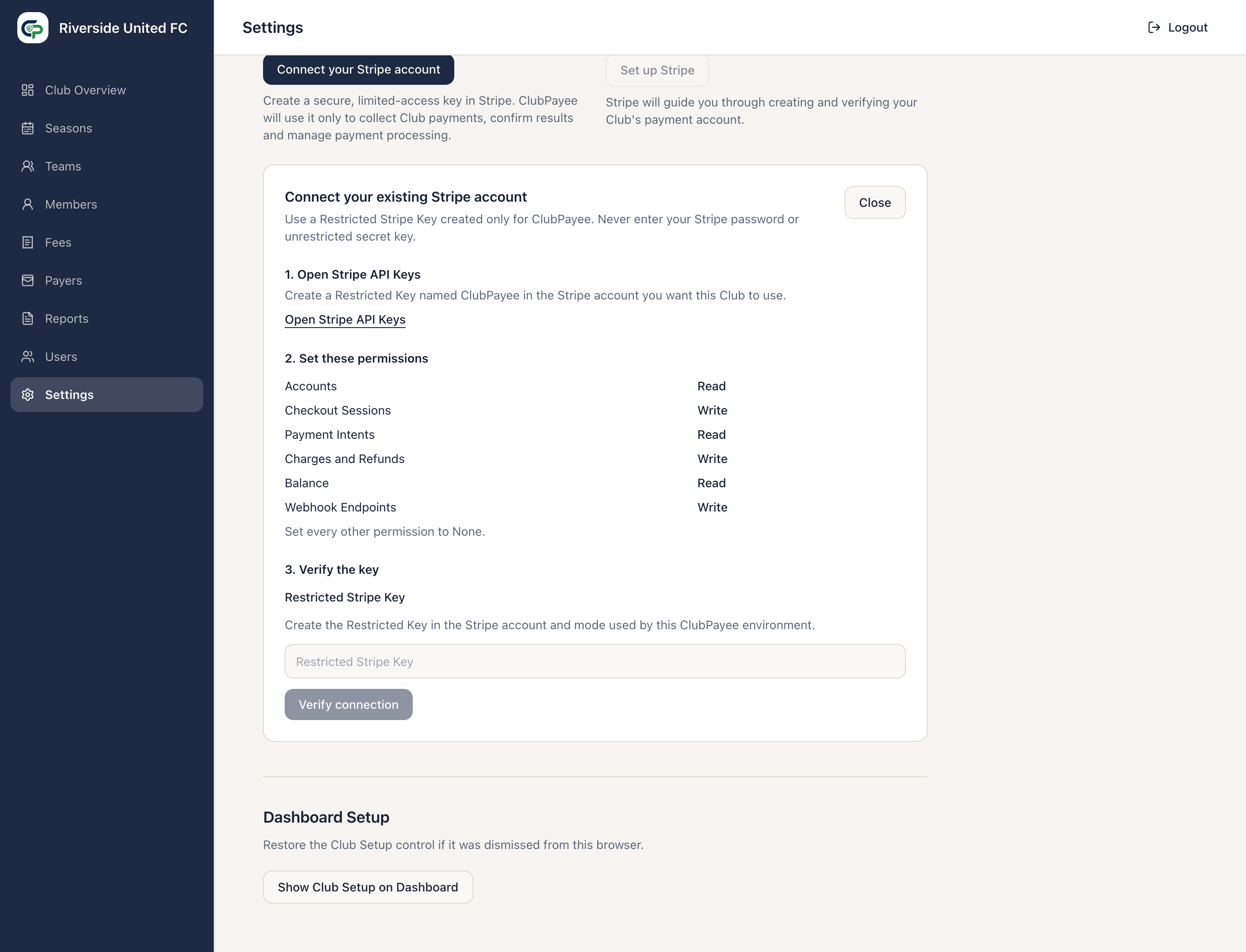
Section titled “Connect an existing Stripe account”In Settings, find Online Payments, then:
- Under Already use Stripe?, select Connect your Stripe account.
- Open Stripe API Keys and create a Restricted Key named ClubPayee.
- Give it exactly these permissions:
| Stripe resource | Permission |
|---|---|
| Accounts | Read |
| Checkout Sessions | Write |
| Payment Intents | Read |
| Charges and Refunds | Write |
| Balance | Read |
| Webhook Endpoints | Write |
- Set every other permission to None.
- Paste the Restricted Key into ClubPayee and select Verify connection.
- Check the detected account name, country, Test/Live mode, and readiness.
- Confirm it is the intended Club merchant account and select Connect this account.
Connect a Club that is new to Stripe
Section titled “Connect a Club that is new to Stripe”Under New to Stripe?, select Set up Stripe. Stripe opens its hosted setup process for the Club’s payment account.
Complete the requested business and payout details in Stripe. If setup is incomplete, Continue Setup resumes the same account. Abandon Setup cancels that incomplete connection before another path is chosen.
Connection status
Section titled “Connection status”- Connected — the connection is ready.
- Setup Incomplete — Stripe-hosted or Restricted Key setup still needs completion.
- Needs Attention — ClubPayee detected an issue such as missing readiness or permissions. Follow What needs attention and use Review Permissions where offered.
- Replace Stripe Key — verifies a replacement Restricted Key for the same account.
- Disconnect — stops new Online Payments and removes the connection. It does not delete the Stripe account or historical ClubPayee Payments.
An older key with only read access to Charges and Refunds can still collect Payments, but issuing a Refund requires Charges and Refunds — Write.
Online Payment rules
Section titled “Online Payment rules”- A Payer may pay the full outstanding balance at any positive amount.
- A partial Online Payment must be at least €5.
- If the full balance is below €5, the Payer may pay that full balance.
- An Online Payment cannot exceed the current outstanding balance.
The Payer selects Pay in full or Pay another amount in the Payer Portal. Stripe processes the transaction. The balance changes only after ClubPayee receives confirmation.